
Your first app
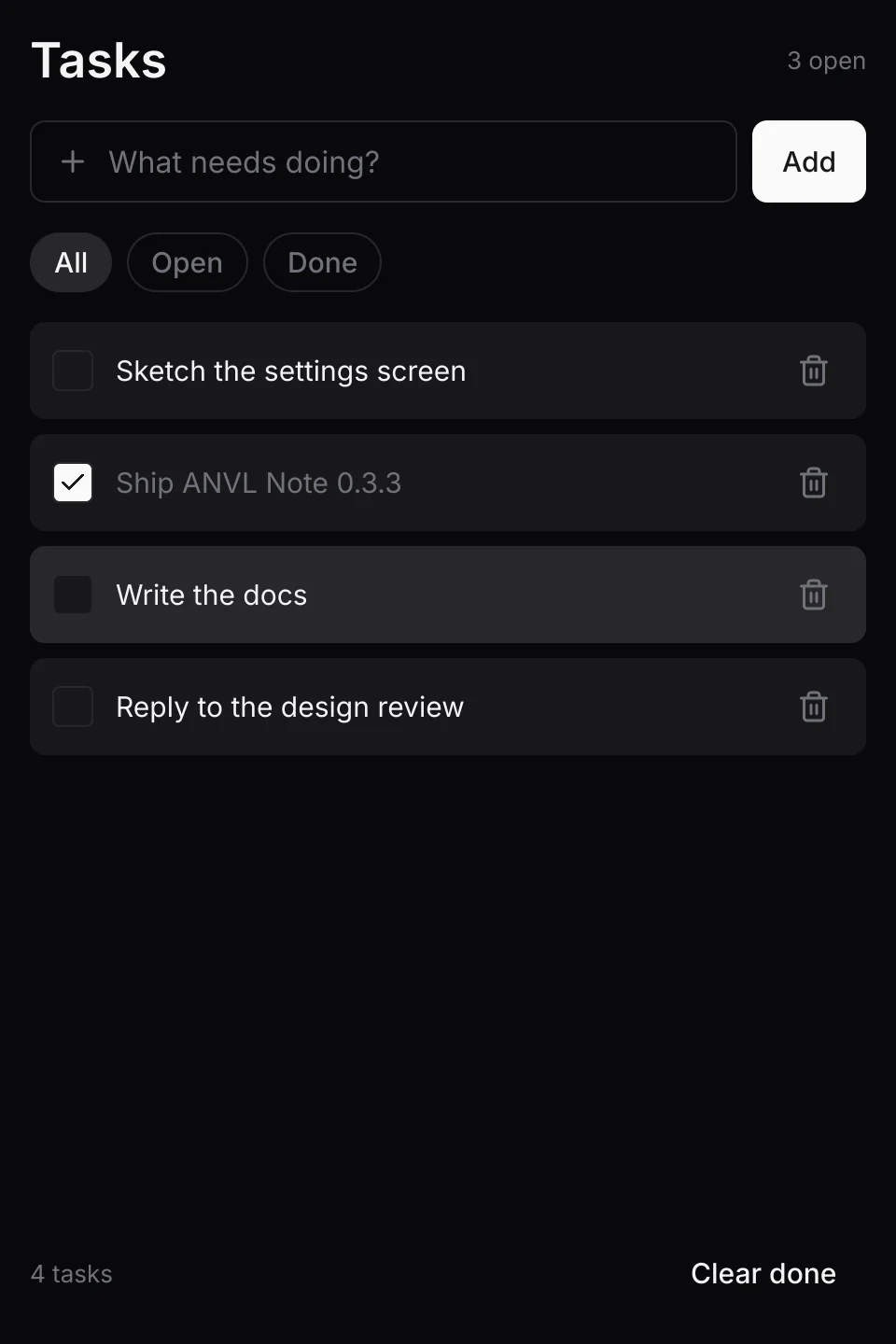
The starter (apps/anvl_starter) is a complete app in about 450 lines: a
task list that saves to disk, runs on desktop and Android, and has tests. This page walks through
it in the order the code runs.
The files
| File | What it holds |
|---|---|
src/main.rs | The desktop entry point: makes the event loop and calls run. |
src/lib.rs | run, shared by both platforms, and Android's entry point. |
src/app.rs | The app: state, messages, the view, and the frame. |
src/store.rs | Plain Rust: the tasks and the file they live in. No UI. |
Entry points
The app lives in the library, so the desktop binary and the Android build run the same code.
runner::run creates the window on the main thread and runs your app on its own UI
thread:
// src/lib.rs
pub fn run(event_loop: EventLoop<Exit>) {
    runner::run(event_loop, app::make_window, app::App::new);
}

// src/main.rs
fn main() {
    let event_loop = EventLoopBuilder::with_user_event()
        .build()
        .expect("failed to create the event loop");
    anvl_starter_lib::run(event_loop);
}
make_window is an ordinary winit window builder. App::new runs on the UI
thread and gets a Proxy, which background threads use to send the app events (see
Workers).
State and messages
The state is plain data. The things a user can do are a message enum:
#[derive(Clone, Debug, PartialEq)]
pub enum Msg {
    Add,
    Toggle(u64),
    Delete(u64),
    Show(Filter),
    ClearDone,
}

fn update(&mut self, msg: Msg) {
    match msg {
        Msg::Add => {
            self.store.add(&self.draft);
            self.draft.clear();
        }
        Msg::Toggle(id) => self.store.toggle(id),
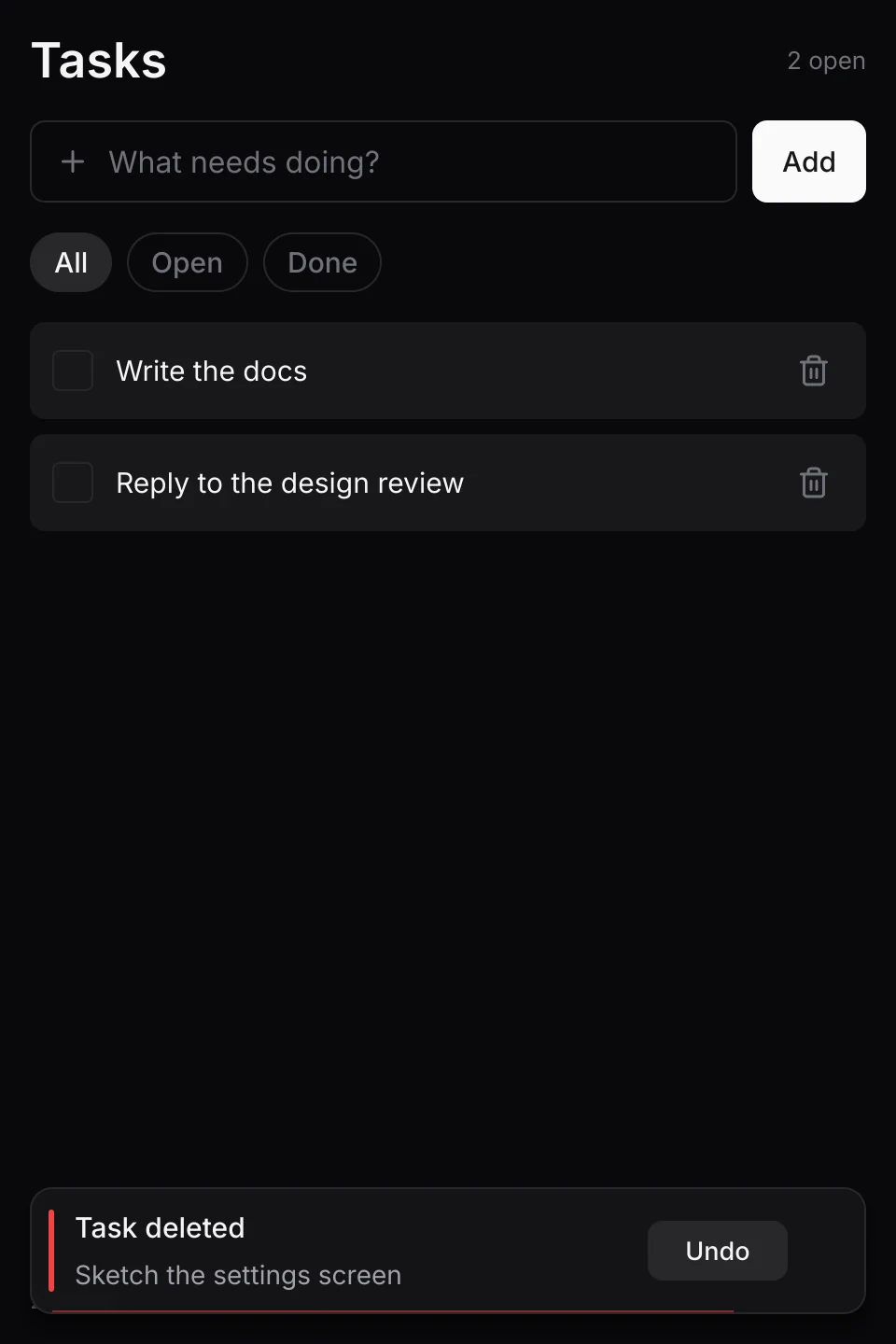
        Msg::Delete(id) => { /* remove it, and show a toast with Undo */ }
        Msg::Show(filter) => self.filter = filter,
        Msg::ClearDone => self.store.clear_done(),
    }
    self.redraw = true;
}
All changes go through update. That keeps the app easy to follow and easy to test:
a test sends input, then checks the state.
The view
The view describes the whole screen from the state, every frame. It is a function of the state
alone, which matters for Rust's borrow rules: the tree can borrow self.draft mutably
while self.ui lays it out.
fn view<'a>(store: &'a Store, draft: &'a mut String, filter: Filter, height: f32) -> Element<'a> {
    let header = div()
        .flex_row()
        .items_center()
        .justify_between()
        .child(text("Tasks").title())
        .child(text(format!("{open} open")).caption());

    // An immediate-mode widget inside the tree: the text field draws itself in the
    // rectangle layout gives the canvas.
    let field = canvas(move |ui: &mut Ui, r: Rect| {
        ui.text_field(FIELD_ID, r, draft, 120, InputKind::Text, "What needs doing?", Some(Icon::Plus));
    })
    .flex_1()
    .h(44.0);

    let list = div()
        .id("task_list")
        .scroll()
        .flex_1()
        .gap_2()
        .children(shown.into_iter().map(|(i, task)| row(i, task)));

    div()
        .h(height)
        .p_4()
        .gap_4()
        .bg(Tok::Bg)
        .child(header)
        .child(div().flex_row().gap_2().child(field).child(button("Add", true, Msg::Add)))
        .child(filters)
        .child(list)
        .child(footer)
}
Each task row is its own small function. It has an id, so its hover state and its
entrance animation follow it when the list changes, and it emits messages:
fn row<'a>(index: usize, task: &Task) -> Element<'a> {
    div()
        .id(ElementId::new("task").key(task.id))
        .flex_row()
        .items_center()
        .gap_3()
        .px_3()
        .h(52.0)
        .rounded_md()
        .bg(Tok::Card)
        .hover(|s| s.bg(Tok::CardHi))
        .active(|s| s.bg(Tok::Border))
        .transition(motion::INSTANT)
        .enter_at(Enter::Rise, index)
        .on_click(Msg::Toggle(task.id))
        .child(check)
        .child(div().flex_1().child(title))
        .child(delete) // its own .on_click(Msg::Delete(task.id)); the innermost handler wins
}
Clicking the bin deletes the task without also toggling it: an event goes to the innermost element with a handler and stops there. See Bubbling.
One frame
A frame takes the input gathered since the last one, builds and lays out the tree, and applies the messages it emitted:
fn build(&mut self, input: Input, screen: Vec2, scale: f32, dt: f32) {
    self.elapsed += dt;
    self.ui.begin(input, screen, scale, self.elapsed, dt);

    // A text field consumes Enter, so read it before the field is built.
    let submit = self.ui.is_focused(FIELD_ID) && self.ui.key_pressed(UiKey::Enter);
    let area = self.ui.safe_area();
    let tree = view(&self.store, &mut self.draft, self.filter, area.h() / scale);
    self.ui.element(area, tree);
    let undo = self.ui.toast_stack(&mut self.toasts, area);
    self.ui.end();

    let mut msgs = self.ui.take_actions::<Msg>();
    if submit {
        msgs.push(Msg::Add);
    }
    for msg in msgs {
        self.update(msg);
    }
    if let Some(clicked) = undo {
        self.toast_action(clicked);
    }
}
Around it, frame does the operating system's side: it hands copied text to the
clipboard, shows or hides the Android keyboard, sets the mouse pointer, and draws:
if let Some(text) = self.ui.take_clipboard() {
    self.clipboard.set_text(text);
}
soft_input::set_shown(self.ui.text_input_active());
if self.ui.cursor() != self.shown_cursor {
    self.shown_cursor = self.ui.cursor();
    window.set_cursor_icon(cursor_icon(self.shown_cursor));
}
self.wake_at = self.ui.next_wake().map(|s| Instant::now() + Duration::from_secs_f32(s));

match renderer.render(&self.ui.draw, &mut self.ui.text, clear) {
    FrameStatus::Presented => {}
    FrameStatus::Skipped => { /* minimized: check back in 100 ms instead of spinning */ }
    FrameStatus::Reconfigure => renderer.reconfigure(),
}
Wiring it to the runner
The runner calls your app through the runner::App trait. Window events go to
WindowInput; about_to_wait decides whether to draw again or sleep:
impl anvil_ui::runner::App for App {
    type Event = ();

    fn resumed(&mut self, window: &'static Window) { self.resume(window); }
    fn suspended(&mut self) { self.window = None; }

    fn window_event(&mut self, event: WindowEvent, cx: &mut Cx) {
        match &event {
            WindowEvent::CloseRequested => cx.exit(),
            WindowEvent::Resized(size) => {
                if let Some(r) = self.renderer.as_mut() {
                    r.resize(size.width, size.height);
                }
            }
            _ => {}
        }
        let scale = self.window.map_or(1.0, |w| w.scale_factor() as f32);
        if self.input.event(&event, scale) {
            self.redraw = true;
        }
    }

    fn user_event(&mut self, _: (), _: &mut Cx) {}

    fn about_to_wait(&mut self, cx: &mut Cx) {
        if std::mem::take(&mut self.redraw) {
            cx.request_redraw();
        }
        match self.wake_at {
            Some(t) if t <= Instant::now() => cx.request_redraw(),
            Some(t) => cx.wake_at(t),
            None => {}
        }
    }

    fn frame(&mut self, _: &mut Cx) { self.frame(); }
    fn exiting(&mut self) {}
}
That is the whole app. resume creates the Renderer for the window the
first time, and only its surface after an Android suspend:
fn resume(&mut self, window: &'static Window) {
    self.window = Some(window);
    let s = window.inner_size();
    match self.renderer.as_mut() {
        Some(r) => r.recreate_surface(window, s.width, s.height),
        None => self.renderer = Some(Renderer::new(window, s.width, s.height, &self.icons)),
    }
    self.redraw = true;
}
Tests
Because build needs no window, tests drive the real app with synthetic input. See
Testing. Run them with cargo test -p anvl_starter.